The P0185 is a generic OBD-II powertrain trouble code. Its official definition is “Fuel Temperature Sensor B Circuit Malfunction”.
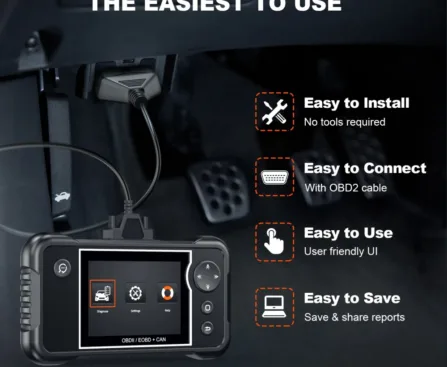

Unlimited Choices, Easy Shopping
Unlimited Choices, Easy Shopping
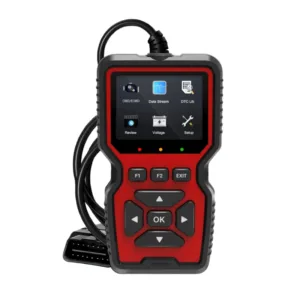
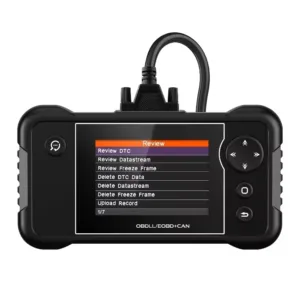
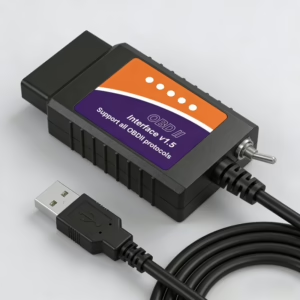
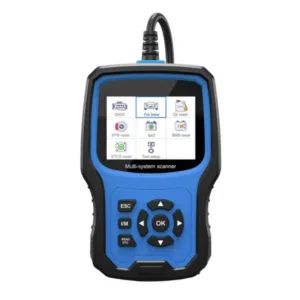
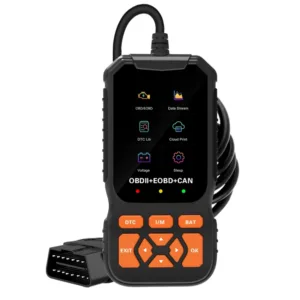
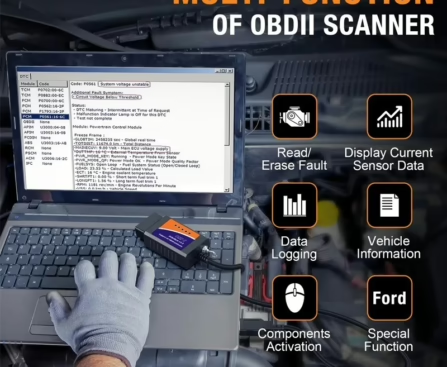
USB OBD2 Scanners (Screenless): Connects to a Windows computer via USB cable; requires diagnostic software (e.g., FORScan, OBDwiz). Inexpensive, powerful (depending on software), fast and stable data transfer, no battery/pairing required. Suitable for DIY users and car enthusiasts who prefer computer-based in-depth diagnostics.
Standalone Handheld OBD2 Scanners: Built-in screen and buttons; plugs directly into the OBD2 port via the included cable. Plug and play, no additional equipment required, portable, usually includes a USB port for firmware updates. Suitable for home users who want simple operation and quick fault code reading.
Reliability: No wireless interference or pairing issues.
Speed: Direct connection provides faster and more stable data transfer.
No Battery Required: Powered by the vehicle, so never runs out of power.
Professional Features: Many advanced diagnostic and programming tools only support wired connections(OBD2 Scanners for Beginners).
Lowest Cost + Computer Compatibility: USB OBD2 Scanner.
Quickly Read Fault Codes Without a Phone/Computer: Standalone Handheld Scanner.
For Most Home Users: Standalone Handheld Scanner is Available.
The P0185 is a generic OBD-II powertrain trouble code. Its official definition is “Fuel Temperature Sensor B Circuit Malfunction”.
The P0180 is a generic OBD-II powertrain trouble code. Its official definition is “Fuel Temperature Sensor A Circuit”.
The P0175 is a generic OBD-II powertrain trouble code. Its official definition is “System Too Rich (Bank 2)”.
The P0173 is a generic OBD-II powertrain trouble code. Its official definition is “Fuel Trim Malfunction (Bank 2)”.
The P0169 is a generic OBD-II powertrain trouble code. Its official definition is “Incorrect Fuel Composition”.

The P0166 is a generic OBD-II powertrain trouble code. Its official definition is “O2 Sensor Circuit No Activity Detected (Bank 2, Sensor 3)”.
The P0161 is a generic OBD-II powertrain trouble code. Its official definition is “O2 Sensor Heater Circuit Malfunction (Bank 2 Sensor 2)”.
The P1063 is a P1xxx powertrain diagnostic trouble code, which makes it Manufacturer-Specific (OEM-Defined) — not an SAE/ISO generic code — so its exact “official definition” depends on the brand.
We use cookies to improve your experience on our site. By using our site, you consent to cookies.
Websites store cookies to enhance functionality and personalise your experience. You can manage your preferences, but blocking some cookies may impact site performance and services.
Essential cookies enable basic functions and are necessary for the proper function of the website.
These cookies are needed for adding comments on this website.
Google Tag Manager simplifies the management of marketing tags on your website without code changes.
Statistics cookies collect information anonymously. This information helps us understand how visitors use our website.
Google Analytics is a powerful tool that tracks and analyzes website traffic for informed marketing decisions.
Service URL: policies.google.com (opens in a new window)
SourceBuster is used by WooCommerce for order attribution based on user source.